
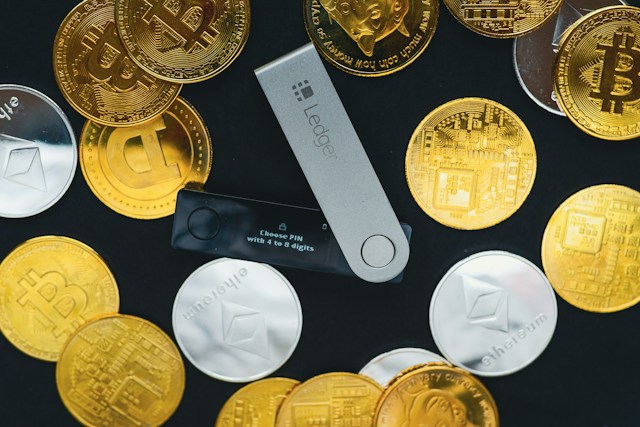

If your crypto wallet shows the wrong token balance, it does not necessarily mean your cryptocurrency is missing. In many cases, the wallet is displaying outdated or incomplete blockchain data, using the wrong network, showing a token with the wrong contract address, or having trouble synchronizing with the blockchain.
A wallet balance can also appear incorrect because of pending transactions, token decimals, unsupported tokens, RPC problems, price-data errors, or wallet interface bugs.
The most important step is to check your wallet address directly on the appropriate blockchain explorer. The blockchain’s recorded balance is more authoritative than what a particular wallet app displays.
Why Is My Crypto Wallet Showing the Wrong Token Balance?
The most common reasons include:
- The wallet has not synchronized with the blockchain.
- You are viewing the wrong blockchain network.
- The token contract address is incorrect.
- The wallet has not added or recognized the token correctly.
- A transaction is still pending.
- The wallet’s RPC provider is experiencing problems.
- The token uses unusual decimals.
- The wallet is showing cached or outdated information.
- The token balance changed but the app has not refreshed.
- You are looking at a fake or similarly named token.
- The token has been migrated to a new contract.
- The wallet’s token price is wrong even though the token quantity is correct.
- The blockchain explorer and wallet are interpreting token data differently.
Let’s look at each possibility.
1. Your Wallet Has Not Updated Yet
One of the simplest explanations is that the wallet application has not refreshed its blockchain data.
Suppose you receive:
1,000 USDT
The blockchain transaction confirms successfully, but your wallet still shows:
500 USDT
The transaction may already be recorded on-chain while the wallet interface is still displaying an old balance.
Try:
- Refreshing the wallet.
- Closing and reopening the app.
- Switching networks and switching back.
- Waiting for the wallet to synchronize.
- Checking the address on a blockchain explorer.
If the explorer shows the correct balance but the wallet does not, the problem is likely with the wallet’s display or data synchronization rather than the blockchain balance itself.
2. You Are Checking the Wrong Network
This is one of the most common reasons a token balance appears to be missing or incorrect.
Many tokens exist on multiple blockchains.
For example, USDT is available on several networks, including:
- Ethereum
- Tron
- BNB Smart Chain
- Arbitrum
- Polygon
- Solana
A token balance on one network does not automatically appear as the same balance on another network.
For example:
You have:
1,000 USDT on Tron
but your wallet is currently displaying:
Ethereum
You may think your USDT has disappeared.
It hasn’t necessarily disappeared. You are simply viewing a different blockchain.
Always check the network before assuming that your token balance is wrong.
3. You Added the Wrong Token Contract
A token’s name and ticker are not enough to identify it.
For example, there can be multiple tokens using names such as:
USDT
or
USDC
The important identifier is the token’s contract address on the relevant blockchain.
If you manually add a token using the wrong contract address, your wallet could show:
- 0 balance
- An unexpected balance
- A token with a similar name
- A completely different asset
Before adding a custom token, verify its contract address using a trustworthy source.
Do not assume that every token with the same ticker symbol is the same cryptocurrency.
4. The Wallet Does Not Automatically Recognize the Token
Some wallets can hold a token even if the token is not currently displayed in the wallet interface.
This can happen when:
- The token is new.
- The wallet does not support automatic token detection.
- The token is not included in the wallet’s token list.
- You are using a custom token.
- The wallet’s token database has not updated.
In this situation, the token may still exist at your address on the blockchain.
The wallet interface simply isn’t displaying it.
You may need to manually add or import the correct token contract.
5. The Transaction Is Still Pending
If you recently sent or received tokens, the balance may temporarily look incorrect because the transaction has not been finalized.
For example, suppose you have:
1,000 USDC
You send:
300 USDC
Your wallet might temporarily display:
700 USDC
or it might continue showing:
1,000 USDC
depending on how the wallet handles pending transactions.
Once the transaction is confirmed, the displayed balance should normally update.
If the transaction remains pending for an extended period, check its status using the blockchain explorer.
6. Your Wallet’s RPC Provider Has a Problem
Wallet applications often communicate with blockchains through RPC providers.
RPC stands for Remote Procedure Call.
An RPC service allows the wallet to request blockchain information such as:
- Account balances
- Transaction data
- Token balances
- Block information
- Smart-contract data
If the RPC service is experiencing an outage, congestion, or synchronization issue, your wallet may display incomplete or incorrect information.
For example, your actual token balance could be:
10,000 tokens
while the wallet temporarily displays:
0 tokens
That does not necessarily mean the tokens disappeared.
The wallet may simply be unable to retrieve the latest blockchain information.
7. The Token Uses Different Decimals
Token decimals can also cause a balance to appear incorrect.
Many blockchain tokens use a specific number of decimal places to represent their smallest units.
For example, a token might use:
18 decimals
while another might use:
6 decimals
If software incorrectly interprets the token’s decimal configuration, the displayed balance can be dramatically different from the actual amount.
For example, a raw blockchain token balance might be represented as a very large integer, while the wallet converts it into the human-readable number you see.
If that conversion is incorrect, the displayed balance can look wrong.
8. The Wallet Is Showing an Outdated Cached Balance
Some wallet apps cache blockchain information to make the interface faster.
This can occasionally result in an outdated balance.
For example:
Actual blockchain balance: 2,500 tokens
Wallet display: 2,000 tokens
Refreshing the wallet may cause it to retrieve the latest data.
If refreshing does not work, compare the balance with a blockchain explorer.
9. You Are Looking at the Wrong Wallet Account
Many wallet applications can manage multiple accounts.
For example:
Account 1:
0.5 ETH
Account 2:
3.2 ETH
Account 3:
0 ETH
If you accidentally switch accounts, the token balance can suddenly appear to have disappeared.
Check the wallet address carefully.
Do not rely only on the account name.
Compare the full public address shown by the wallet with the address you used for the transaction.
10. The Token Is on a Different Address
Another common mistake is checking the wrong address.
Suppose you have three Ethereum addresses:
Address A: 1,000 USDC
Address B: 50 USDC
Address C: 0 USDC
If you are expecting 1,000 USDC but your wallet is currently showing Address C, the balance will appear wrong.
Always compare:
Transaction recipient address
with:
Current wallet address
11. The Token Balance Is Correct but the Dollar Value Is Wrong
Sometimes the token quantity is correct, but the wallet’s displayed dollar value is wrong.
For example, your wallet may correctly show:
10,000 XYZ tokens
but display:
$2,000
even though the token’s current market value would suggest a different amount.
This is usually a price-data issue, not a token-balance issue.
Wallet applications often obtain token prices from external market-data providers.
If the token has:
- Low liquidity
- Very little trading volume
- Multiple markets
- A new listing
- An unusual price feed
the displayed fiat value can be inaccurate.
The actual token quantity can still be correct.
12. You Received a Fake Token With the Same Symbol
This is particularly important when dealing with unfamiliar tokens.
Someone can create a token with a name such as:
USDT
and give it a similar ticker.
Your wallet may display the token, but that does not make it the official USDT token.
Always verify the token’s:
- Contract address
- Blockchain
- Official documentation
- Trusted explorer information
A familiar token symbol alone is not proof that the asset is legitimate.
13. The Token Contract Changed
Some projects migrate tokens from one smart-contract address to another.
For example:
Old contract → New contract
After a migration, your wallet may continue displaying the old token or fail to show the new token correctly.
The project’s official migration instructions should be checked before taking action.
Never blindly swap, transfer, or approve an unfamiliar token simply because a wallet says your balance is incorrect.
14. The Wallet Has a Token Indexing Problem
Some wallet applications use token indexes and third-party services to determine which tokens belong to an address.
If indexing is delayed, the wallet may not immediately show a newly received token.
The blockchain itself can already contain the token balance even though the wallet interface hasn’t indexed it yet.
A blockchain explorer can help determine whether the token is actually associated with your address.
15. The Blockchain Explorer Shows a Different Balance
If your wallet and blockchain explorer disagree, don’t immediately assume your funds are gone.
First verify:
- Same blockchain
- Same wallet address
- Same token contract
- Same account
- Same token decimals
For example, if your wallet is connected to BNB Smart Chain but you’re checking an Ethereum explorer, you can get completely different results.
The network context matters.
How to Check Your Real Token Balance
If your wallet appears to show the wrong balance, use this process.
Step 1: Copy your wallet address
Copy the public address directly from your wallet.
Do not manually type it.
Step 2: Identify the network
Determine whether the token is on:
- Ethereum
- BNB Smart Chain
- Polygon
- Arbitrum
- Tron
- Solana
- Another blockchain
Step 3: Open the appropriate blockchain explorer
Search for your public wallet address on the explorer corresponding to that network.
Step 4: Find the token
Look at the token holdings or token-transfer section.
Step 5: Verify the contract address
Make sure the token contract matches the asset you intended to receive or hold.
Step 6: Compare the balance
If the explorer shows the expected balance but your wallet does not, the problem is likely related to the wallet interface, token recognition, RPC connection, or synchronization.
What If the Blockchain Explorer Shows the Wrong Balance Too?
If both your wallet and explorer appear to show an unexpected balance, investigate the blockchain transaction history.
Look for:
- Incoming transactions
- Outgoing transactions
- Token transfers
- Contract interactions
- Pending transactions
- Token migrations
- Different addresses
If the blockchain shows that the tokens were transferred away, this is different from a simple wallet display problem.
If the blockchain shows that the tokens remain at your address but your wallet doesn’t display them correctly, it is more likely a wallet-interface or token-recognition issue.
Can a Wallet Show 0 Tokens Even When You Own Them?
Yes.
A wallet can show a zero balance even when tokens exist at your address.
Common reasons include:
- Wrong network
- Token not added
- Wrong token contract
- RPC problem
- Wallet synchronization issue
- Wrong account
- Unsupported token
- Indexing delay
Checking the address on the correct blockchain explorer is one of the quickest ways to distinguish a display problem from an actual transaction problem.
Why Does My Wallet Show the Wrong USDT Balance?
If your wallet shows the wrong USDT balance, first check the network and USDT contract address.
USDT exists on multiple networks, so your USDT balance on Ethereum is separate from your USDT balance on Tron or BNB Smart Chain.
For example, if you received:
500 USDT on Tron
but your wallet is displaying Ethereum, you may not see the 500 USDT balance.
The tokens have not necessarily disappeared. You may simply be viewing the wrong network.
Why Does My Wallet Show the Wrong ETH Balance?
If your Ethereum balance looks incorrect, check:
- Whether you are using the correct Ethereum account
- Whether a transaction is pending
- Whether ETH was recently sent
- Whether the wallet has synchronized
- Whether the wallet is displaying a different network
- Whether another transaction changed the balance
You can compare the address with an Ethereum blockchain explorer to see the on-chain balance and transaction history.
Why Does My Wallet Show the Wrong Token Amount After Receiving Crypto?
If you recently received tokens but the balance is incorrect, the most common possibilities are:
- The transaction hasn’t confirmed.
- The wallet hasn’t refreshed.
- The token isn’t automatically recognized.
- You’re viewing the wrong network.
- The token contract is different from the one expected.
- You’re viewing the wrong wallet account.
- The wallet’s RPC provider hasn’t returned current data.
Check the transaction hash first.
If the transaction is confirmed and the token transfer went to your address, the blockchain has recorded the transfer even if your wallet interface hasn’t updated yet.
Why Did My Token Balance Suddenly Change?
A token balance can change because:
- You sent tokens.
- You received tokens.
- A smart contract transferred tokens.
- You interacted with a DeFi protocol.
- A token migration occurred.
- The wallet corrected previously stale data.
- The token uses rebasing or other balance-adjustment mechanics.
- You switched accounts or networks.
Not every balance change means that someone stole your crypto.
Check the blockchain transaction history before drawing conclusions.
Can a Crypto Wallet Balance Be Wrong?
Yes.
A wallet application can display incorrect or outdated information.
However, the blockchain itself is the underlying source of truth for on-chain assets.
This is why checking the address and token contract on the appropriate blockchain explorer is useful when a wallet balance looks suspicious.
How Do I Fix an Incorrect Token Balance?
Try these steps:
- Refresh the wallet.
- Restart the wallet application.
- Confirm the correct network.
- Confirm the correct wallet account.
- Check the address on a blockchain explorer.
- Verify the token contract address.
- Remove and re-add the token if appropriate.
- Check the wallet’s RPC connection.
- Update the wallet application if an update is available.
- Contact the wallet provider if the blockchain data is correct but the interface remains incorrect.
Avoid entering your recovery phrase into a website claiming it can “synchronize” or “repair” your wallet.
Legitimate wallet support should not need your seed phrase to verify your balance.
Frequently Asked Questions
Why does my crypto wallet show the wrong token balance?
Your wallet may show the wrong token balance because of a synchronization problem, incorrect network, wrong token contract, pending transaction, RPC issue, incorrect token decimals, wrong account, or outdated wallet data.
Why is my token balance showing 0?
You may be viewing the wrong network or account, or the token may not have been added to the wallet. Check your public address on the correct blockchain explorer.
Can a crypto wallet display an incorrect balance?
Yes. Wallet interfaces can display stale or incorrect data even when the blockchain balance is correct.
How do I check my actual crypto token balance?
Copy your public wallet address and search it on the appropriate blockchain explorer. Make sure you select the correct network and verify the token contract address.
Why does my wallet show the wrong USDT balance?
USDT exists on multiple blockchains. You may be viewing the wrong network, using the wrong USDT contract, or experiencing a wallet synchronization problem.
Why does my wallet show the wrong dollar value?
The token quantity may be correct while the wallet’s market-price data is outdated or inaccurate. Low-liquidity tokens can be especially difficult for price feeds to value correctly.
What if my wallet says I have 0 tokens but the blockchain explorer shows tokens?
The wallet may not recognize the token, may be connected to the wrong network, or may have a synchronization/indexing problem. Verify the token contract and network before adding the token manually.
Can a pending transaction change my displayed balance?
Yes. Different wallets handle pending transactions differently. Some temporarily adjust the displayed balance while others continue showing the previous confirmed balance.
Should I delete my wallet if the token balance is wrong?
Usually, no. A wrong displayed balance does not mean your wallet needs to be deleted or restored. First check the network, address, token contract, and blockchain explorer.
Can refreshing a wallet fix an incorrect balance?
Sometimes. If the problem is caused by cached or outdated blockchain data, refreshing or restarting the wallet can cause the correct balance to appear.
Bottom Line
If your crypto wallet shows the wrong token balance, don’t immediately assume your crypto is missing.
The most common causes are wrong network, incorrect token contract, outdated wallet data, pending transactions, RPC problems, wrong wallet account, or unsupported tokens.
The fastest way to investigate is to:
Check your wallet address → verify the network → check the token contract → look up the address on the correct blockchain explorer → compare the on-chain balance with your wallet.
If the blockchain explorer shows the correct token balance but your wallet does not, the issue is usually with the wallet’s display, synchronization, token recognition, or data provider.
And most importantly, never give your recovery phrase or private key to anyone claiming they need it to fix your token balance.


