
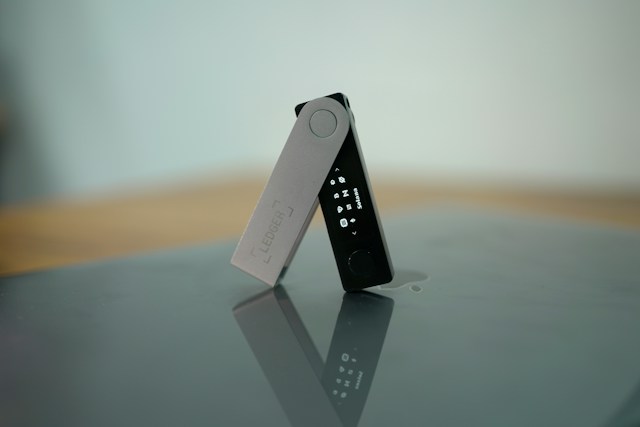

If your Solana token balance is not showing in your wallet, the tokens may still be on the blockchain. A missing balance can happen because the wallet is displaying the wrong account, the token account has not been recognized by the wallet, the token uses a different token program, the wallet has not refreshed its data, or the tokens were sent to a different Solana address.
Solana keeps token balances in token accounts rather than directly in the main wallet account. Each token account is associated with a particular token mint, so checking the correct wallet address and token account is important when a balance appears to be missing.
Why Is My Solana Token Balance Not Showing?
There are several possible reasons your Solana token balance is not appearing.
The most common are:
- You are viewing the wrong wallet account.
- The token was sent to a different address.
- Your wallet has not refreshed the token balance.
- The token is hidden in the wallet interface.
- The wallet does not recognize the token metadata.
- The token uses Solana’s Token-2022 program.
- The token account exists but the wallet interface is not displaying it correctly.
- The transaction has not reached the expected confirmation state.
- You received a different token with a similar name or symbol.
- The token was sent to an incorrect token account or address.
The first step is to verify the transaction and the destination address on-chain rather than relying only on the wallet’s displayed balance.
Why Is My Solana Wallet Showing 0 Tokens?
If your wallet shows a zero balance even though you believe you received tokens, check the exact Solana address currently selected in your wallet.
Solana wallets can manage multiple accounts, and each account can have its own token accounts.
For example:
Account A → 100 tokens
Account B → 0 tokens
If you are currently viewing Account B, your wallet may correctly display a zero balance even though Account A contains the tokens.
This is one of the first things to check when a Solana token balance appears to be missing.
How Do I Check If My Solana Tokens Are Actually There?
The most reliable way to verify a token balance is to check the relevant wallet address and token account on the Solana blockchain.
A Solana token account contains the token balance, and Solana’s RPC tools can retrieve the balance directly from that account.
Check:
- Your wallet’s public address.
- The transaction signature.
- The destination address in the transaction.
- The token mint address.
- The token account associated with your wallet.
- The token balance shown by the blockchain.
If the blockchain shows the tokens but your wallet does not, the issue is likely related to wallet display, token recognition, or account selection rather than the tokens actually disappearing.
Why Is My Solana Token Not Showing After I Received It?
If you recently received a Solana token, the wallet may not immediately display it.
First, verify that the transaction succeeded and that the recipient address matches your wallet address.
Solana uses token accounts for SPL tokens. If the appropriate associated token account does not already exist, it can be created as part of the token transfer process.
If the transaction is confirmed and the correct address received the tokens, but the wallet interface still shows nothing, refreshing the wallet or manually adding the token may resolve the display issue.
Why Is My Solana Token Balance Missing After a Transfer?
If you transferred tokens into your wallet and the balance is missing, don’t assume the tokens are lost.
Check the transfer transaction first.
Confirm:
- The transaction succeeded.
- The destination address is yours.
- The token mint is the one you expected.
- The amount transferred is correct.
- The relevant token account exists.
Solana token transfers are made between token accounts for the same token mint.
If the transaction went to another address, your wallet will not show the balance because the tokens belong to that other address.
Why Is My Solana Token Balance Not Showing But the Transaction Is Confirmed?
A confirmed transaction does not necessarily mean your wallet interface will immediately display the token.
If the transaction is confirmed, check the actual destination token account.
Solana’s token-account system means the balance is stored in the token account associated with the token mint and owner.
If the blockchain shows a balance but the wallet shows zero, possible explanations include:
- Wallet synchronization delay
- Hidden token
- Unsupported token
- Incorrect account selected
- Token-2022 compatibility issue
- Wallet interface problem
Refreshing the wallet or reopening the application can sometimes update the displayed balance.
Why Is My Solana Token Balance Not Updating?
A wallet can occasionally display an outdated balance.
This can happen because the wallet interface has not refreshed its blockchain data yet.
Try:
- Refreshing the wallet.
- Closing and reopening the wallet.
- Checking that you are connected to Solana mainnet.
- Selecting the correct wallet account.
- Checking the token on a Solana blockchain explorer.
- Comparing the wallet address with the transaction destination.
If the blockchain balance has changed but the wallet still displays the old balance, the discrepancy is likely in the wallet interface rather than the underlying blockchain state.
Why Is My Solana Token Hidden?
Some wallets allow users to hide specific tokens.
A token can therefore exist in your wallet while not appearing in the main asset list.
Look for options such as:
- Manage tokens
- Hidden tokens
- Add token
- Import token
- Show all assets
- Token visibility
The exact terminology depends on the wallet application.
Before manually adding a token, verify its mint address rather than relying only on the token’s name or symbol.
Why Is My Solana Token Not Showing Even Though I Have a Token Account?
A token account can exist on-chain while the wallet interface does not display it.
Solana’s token-account system separates the wallet address from the accounts that actually hold specific tokens. Each token account holds one type of token mint.
For example:
Wallet address
→ Token Account A → USDC
→ Token Account B → USDT
→ Token Account C → Another token
Your wallet application needs to correctly identify and display those token accounts for the balances to appear in its interface.
Why Is My Solana Token Balance Not Showing in Phantom?
If you are using Phantom and a Solana token is missing from the asset list, first verify that the token was actually sent to the correct Phantom address.
Then check:
- Your currently selected Phantom account.
- The transaction on-chain.
- The token mint address.
- Whether the token is hidden.
- Whether Phantom supports displaying the particular token.
If the blockchain confirms that your address owns the token but the wallet interface does not show it, check Phantom’s current token-management options and support documentation rather than sending the token again.
Why Is My Solana Token Balance Not Showing in Solflare?
If you use Solflare and your token balance is missing, first verify the destination address and token account on-chain.
Then check whether:
- The correct wallet account is selected.
- The token is hidden.
- The token is supported.
- The token uses the expected token program.
- The transaction was successfully confirmed.
The blockchain balance should be treated as the underlying source of truth when troubleshooting a wallet display problem.
Can a Solana Token Balance Be Hidden But Still Exist?
Yes.
Your wallet interface may hide a token while the underlying token account still exists and contains tokens.
This is why checking the public wallet address and token account on-chain is useful.
If the token account has a positive balance on-chain but the wallet interface doesn’t display it, the issue is generally related to the wallet’s asset display or token recognition.
Why Is My Solana Token Not Showing After Adding the Token Manually?
If manually adding a token doesn’t make the balance appear, verify that you entered the correct mint address.
A token’s name and symbol are not enough to uniquely identify it.
Different tokens can use similar or identical names and symbols.
The mint address identifies the specific token on Solana.
Solana’s token documentation distinguishes the token mint from the token accounts that hold balances.
Always verify the mint address from a trusted source before adding an unfamiliar token.
Why Is My Solana Token Balance Not Showing Because of Token-2022?
Solana has both the original Token Program and the Token Extension Program, commonly known as Token-2022.
Wallet and application support can differ depending on the token and its extensions.
Solana’s official documentation notes that the standard token functionality spans both the original Token Program and Token-2022.
Some newer token features can therefore create compatibility or display differences between wallets.
If the token is using Token-2022, verify that your wallet supports that token and its relevant extensions.
Can a Solana Token Be in the Wrong Token Account?
Yes.
A Solana wallet can have multiple token accounts, and each token account is associated with a specific token mint.
A token account cannot simply hold any token. Solana’s documentation states that a token account holds one kind of mint.
For example:
USDC token account → USDC
USDT token account → USDT
Token A account → Token A
If you are looking at the wrong token account, the balance you’re expecting may not appear there.
Why Is My Solana Token Balance Showing on a Blockchain Explorer but Not in My Wallet?
This usually indicates a difference between the blockchain state and the wallet interface.
If the explorer shows:
Token balance: 500
while your wallet shows:
Token balance: 0
verify that both are referring to exactly the same:
- Wallet address
- Token mint
- Network
- Token account
If all four match, the wallet may simply not be displaying or refreshing the token correctly.
Do not send another transaction just because the wallet interface appears empty.
Why Is My Solana Token Balance Showing the Wrong Amount?
A displayed token amount can sometimes differ from what you expect because of token decimals, UI formatting, or token-specific features.
Solana’s RPC balance response includes the raw token amount, decimals, and human-readable amount.
For example, a token may store its balance in a smallest unit while the wallet displays a converted human-readable amount.
Some Token-2022 tokens can also use extensions that affect how balances are displayed. Solana’s Scaled UI Amount extension, for example, can change the displayed UI amount without changing the underlying token amount stored in token accounts.
Why Is My Solana Token Balance Showing as Zero After Selling?
If you sold or transferred your entire token balance, the token account can remain even though its token balance is now zero.
The existence of a token account does not mean it must have a positive balance.
Solana provides an instruction for closing eligible token accounts and returning their remaining lamports to a destination account.
So seeing an old token account with a zero balance after selling your tokens can be completely normal.
Why Is My Solana NFT or Token Not Showing in My Wallet?
NFTs and fungible tokens can be affected by wallet support and metadata recognition.
If the asset exists on-chain but is not appearing in your wallet, verify:
- The wallet address.
- The token mint.
- The transaction.
- Whether the wallet supports that asset type.
- Whether the token uses Token-2022.
- Whether the wallet has hidden the asset.
An asset being absent from the wallet interface does not automatically mean that the asset has disappeared from the blockchain.
What Should I Do If My Solana Token Balance Is Not Showing?
Follow these steps in order:
1. Check the selected wallet account
Make sure you’re viewing the account that received the tokens.
2. Verify the transaction
Find the transaction signature and confirm that the transfer succeeded.
3. Check the destination address
Make sure the destination address belongs to your wallet.
4. Check the token mint
Confirm that the token is the exact asset you intended to receive.
5. Check the token account
Verify that the relevant token account exists and has the expected balance.
6. Refresh your wallet
Close and reopen the wallet or refresh its asset list.
7. Check hidden tokens
Look for a token-management or hidden-assets section.
8. Check Token-2022 compatibility
If the token uses Token-2022, confirm that your wallet supports the token and its relevant extensions.
9. Don’t send the tokens again immediately
If the blockchain already shows the correct balance, sending another transaction could create unnecessary confusion.
Is My Solana Token Lost If It Doesn’t Show in My Wallet?
Not necessarily.
A token that does not appear in the wallet interface may still exist on-chain.
The first thing to determine is whether the token balance exists in the token account associated with your wallet address.
If the blockchain shows the expected token balance, the problem is likely related to the wallet interface, account selection, token visibility, or compatibility.
If the blockchain does not show the token at your address, investigate the original transaction to determine where the tokens were actually sent.
Bottom Line
A Solana token balance that isn’t showing in your wallet does not automatically mean the tokens are gone.
Solana uses separate token accounts to hold SPL token balances, and each token account is associated with a particular token mint.
The fastest way to troubleshoot the problem is to verify the wallet address, transaction, token mint, and token account on-chain.
If the blockchain shows the correct balance but your wallet doesn’t, check the selected account, hidden-token settings, wallet refresh, token support, and Token-2022 compatibility. If the blockchain itself shows no balance, investigate the transaction destination before taking any further action.


